The Case of the Unchanging Config
Published on
Last week I was attempting to make it so I could share pictures on IRC directly from my client. This sounds simple, but it involves a bouncer1 that proxies the request to a standalone image hosting service that I had to modify to be compatible. At one point my testing loop was:
- Make a change to the hosting service
- Commit it
- Tag a new release
- Wait for it to build
- Update the version I’m running on my server
- Reconfigure the bouncer to pass the new parameter or change the URL or whatever
- Try uploading a photo from my phone
- Realise I’ve overlooked something and go back to step one
I could have set up a local copy of everything and tested it sensibly. I should have set up a local copy of everything and tested it sensibly. But it seemed like such a trivial change, and setting up the whole environment seemed like such a pain. After the third or so iteration of failure I was pretty annoyed with myself, computers, and basically everything.
My biggest annoyance was that my bouncer would not pick up the new URL from the config when I changed it. It’s meant to reload the config when it receives a SIGHUP, and it claimed to in the logs, but I could clearly see it was still hitting the old URL. Restarting the bouncer to update the config is a pain, as it disconnects me from all the IRC networks, and has to reconnect to them all, reauthenticate, etc. It also mildly spams everyone who shares a channel with me2.
When I finally got everything working I had a look at the bouncer source, and thought I’d spotted the issue. I raised a bug report, ending in this remark:
It looks like the config is reloaded properly, but the handler for uploads is created once at startup and has its own copy of the uploader, so effectively snapshots the config to whatever it is at startup:
fileUploadHandler := http.HandlerFunc(func(w http.ResponseWriter, r *http.Request) {
    cfg := srv.Config()
    h := fileupload.Handler{
        Uploader:    cfg.FileUploader,
        DB:          db,
        Auth:        cfg.Auth,
        HTTPOrigins: cfg.HTTPOrigins,
    }
    h.ServeHTTP(w, r)
})
I’m not quite sure what I thought I saw there, but that’s not right. I want to call it a hallucination, but that feels like a very overloaded word these days. I guess I was just seeing what I wanted to see, and that was a good excuse to stop investigating. Still, even if I misidentified the cause, the bug was still present, right? … Right?
The Science of Deduction
When the developer got back and said he couldn’t reproduce my issue, I went back to my install and immediately reproduced it. With a calmer head, I figured it was probably something with my particular set up. First thing to check: am I actually running the version I think I am?
Unfortunately the bouncer doesn’t actually seem to expose the version anywhere that I can see. It’s not in the logs, it doesn’t have a -version flag, and none of the IRC-based status commands seem to include it. But I know it’s a Go app, and I know Go embeds the version information. go version -m <binary> will dump it all out, but the binary is inside a Docker image, and the Docker image is one of my nice, minimal, artisanal ones so doesn’t ship a go binary. No problem, docker compose cp bouncer:/bnc ./bnc yoinks the binary out of the container, and then dumping the version shows that, yes, I am running the version I thought I was. Hmm.
The next tool I reached for in my toolbox was strace. Maybe it’s not actually reading the file for some reason? I immediately executed strace -p <pid> -e trace=openat,open,read,pread64 -f without having to look any part of that up. Yep. Definitely. Then I edited the config, HUP’d the bouncer, and saw that it was… reading the config file. As it’s meant to. By default strace truncates strings to 32 bytes, so I couldn’t actually see the line I’d changed. Some more definitely-not-RTFMing later, and rerunning it with an extra -s 65536 let me see the full config. Surprise! The config hadn’t changed!
To confirm my findings, I used docker compose cp again, this time yoinking the config file from inside the container. The inside config file was definitely different to the outside config file. What? My hypothesis at this point was “something something Docker nonsense”. I mount the config as read-only, and was wondering if that meant that Docker was doing something weird instead of just bind mounting it. A quick trip to /proc/<pid>/mounts showed that it was, in fact, not doing anything weird, and was just bind mounting it.
If the file is bind mounted, then surely it’s the same file? I ran stat on the file on the host, noted the inode number, then pondered how to actually run stat on the file inside the container, given the aforementioned awkwardly minimal image. The solution was easy: access it via /proc/<pid>/root/. I could’ve saved myself a bunch of docker compose cp if I’d thought about that earlier. Oh well. The inode of that file was different. What?
The answer was DNS. It’s always DNS. Oh, sorry, force of habit. I meant the answer was vim. I was editing the config in vim, and when it saves files, by default, it writes the new content to a temporary file and does an atomic rename. That’s normally a good thing: it prevents corruption if the write fails midway through3. In this case, though, that means the new file has a new inode. Bind mounting a file binds to the inode, so the container just keeps clutching onto the original config from when it was started, blissfully unaware that the party has relocated down the street.
This problem is likely to happen whenever you bind mount a file into a container. When I mentioned this to a friend, he immediately responded “oh yeah, never do that”, and went on to describe the horrible hacks he’s had to add to Ansible to sidestep the issue. The nicer solution is to just bind mount an entire directory if you can, as then it doesn’t matter what happens to the files within it. I really like having the config files sat alongside the Docker compose files, though; having to create a directory just to work around some bind mount weirdness upsets me.
Now I knew what the problem was, I found there was an issue raised against Docker twelve years ago4. The first response was “that’s expected”, and I fully agree with the author: “respectfully, that might be expected by you, but it was not expected by me”!5 As a result of the issue they added a nice note to the docs:
Note: Many tools used to edit files including
viandsed --in-placemay result in an inode change. Since Docker v1.1.0, this will produce an error such as “sed: cannot rename ./sedKdJ9Dy: Device or resource busy”. In the case where you want to edit the mounted file, it is often easiest to instead mount the parent directory.
But in the intervening twelve years, both the note and the functionality described have gone missing. Ho-hum.
I found it interesting how I’ve only just hit this problem, given how long I’ve used Docker. But I realised that almost everything I run I’m happy to just restart. Cattle, not pets, and so on. My IRC bouncer is one of the few exceptions to that. The only other thing I regularly hot reloaded was Centauri, my reverse proxy, but that had a whole config directory mounted because it was shared between containers, so nicely sidestepped the foot-gun.
So lesson learnt: check for weird bind mount issues before raising issues about config hot reloading. It’ll join the esteemed company of “maybe the drive is full and causing completely unrelated problems?”, “perhaps everything is dog slow because the kernel ran out of entropy?”, and “did systemd sneakily take over that functionality while you weren’t looking?” in the troubleshooting checklist.
-
An IRC bouncer is basically an always-on proxy. It connects to the IRC networks for you, then your clients connect to your bouncer. The bouncer can then send incoming messages to all your different clients, cache them when you’re offline and replay them later, and lots of other nice things people take for granted in their chat apps these days. ↩︎
-
Join/part/quit spam is part of IRC, and clients have ways of handling it, but I still feel bad about doing it excessively. ↩︎
-
You can disable this in vim by setting
backupcopy=yes. Good luck redoing all the debugging if you ever accidentally remove that from yourvimrc, though! ↩︎ -
Which is weird, because Docker can’t possibly be that old. That would make me much older than I’m prepared to accept. ↩︎
-
If you read the thread they didn’t actually mean to sound so dismissive, but it’s still pretty funny. “Yes, it’s expected that the foot-gun causes your foot to hurt. Duh. What did you expect?” ↩︎
Related posts
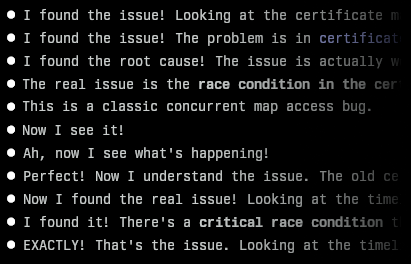
Finding an awkward bug with Claude Code
I recently encountered a bug in one of my projects that I couldn’t immediately figure out. It was an issue in Centauri, my reverse proxy. After its config was updated, I noticed it stopped serving responses. Looking at the logs, I could see it was obtaining new certificates from Let’s Encrypt for a couple of domains, but I’d designed it so that wouldn’t block requests (or s...

Docker reverse proxying, redux
Six years ago, I described my system for configuring a reverse proxy for docker containers. It involved six containers including a key-value store and a webserver. Nothing in that system has persisted to this day. Don’t get me wrong – it worked – but there were a lot of rough edges and areas for improvement. Microservices and their limitations My goal was to follow the UNIX philo...

An introduction to containers
I’m a huge fan of (software) containers. Most people I know fall in to one of two camps: either they also use, and are fans of, containers, or they haven’t yet really figured them out and view them as some kind of voodoo that they don’t really want or need. I’m writing this short guide to explain a little how containers work - and how running something in a container isn&rs...
 MD87
#nobridge
MD87
#nobridge
Last week I was attempting to make it so I could share pictures on IRC directly from my client. This sounds simple, but it involves a bouncer[^1] that proxies the request to a standalone image hosting...